Getting Started with Stryd Running Power and Claude
By Toby Pattullo
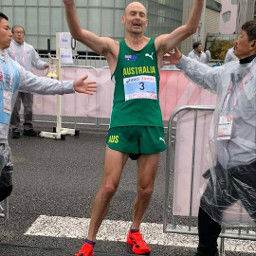
Australian Deaflympic marathon and ultra runner, and the solo developer behind IcuSync.
Pace is a useful training metric on flat ground in calm conditions. Add a hill, a headwind, accumulated fatigue, or summer heat and it becomes an unreliable guide to how hard you are actually working. Running power, measured by a foot pod like Stryd, gives you a consistent effort target regardless of what conditions are doing to your pace.
If you train with Stryd and use Intervals.icu, Claude can read your power data and build power-based workouts through IcuSync. This guide explains how the data gets from Stryd to Intervals.icu, what to set up before you start, and how to prompt Claude for the best results.
How Stryd data actually gets into Intervals.icu
This is worth understanding clearly because it is not as direct as it might seem.
Stryd does not connect to intervals.icu directly. Instead, the data chain works like this:
Stryd foot pod records power data during your run and sends it to your watch in real time. Your watch records the full activity including power. After your run, the activity syncs from your watch to Garmin Connect or the Coros app. From there it syncs automatically to Intervals.icu.
So the path is: Stryd → Watch → Garmin Connect or Coros → Intervals.icu
Your Stryd power data arrives in Intervals.icu as part of the activity file your watch records, not as a separate Stryd integration.
Setting up Stryd on your watch
Garmin watches
On Garmin, Stryd does not work like a standard sensor pairing. You need to install the Stryd Zones data field from the Connect IQ store. This data field is what records your Stryd power into the activity file, without it, power data will not be captured correctly even if your Stryd is paired as a foot pod.
Install Stryd Zones via the Garmin Connect app on your phone or via Garmin Express on desktop. Once installed, add it to your run data screens and run a short test activity to confirm power is recording.
Coros watches
Coros has native Stryd support built in. Pair Stryd as a sensor through your watch settings, it will appear as a STRYD sensor rather than a generic power sensor, and you should select STRYD specifically. Once paired, your Coros will record all Stryd metrics automatically with no additional data field needed.
After a run, your Coros activity syncs to the Coros app and from there to Intervals.icu.
An important issue to know about on Garmin
Many modern Garmin watches generate their own native running power estimate using the HRM-Pro strap or built-in sensors. This causes a conflict.
By default, when both Garmin native power and Stryd power are present in the same activity file, intervals.icu prioritises the Garmin power reading and ignores Stryd.
If your power numbers in Intervals.icu look wrong or much higher than your Stryd app shows, this is almost certainly why.
Garmin's native power figures run roughly a third higher than Stryd because they use different calculation methods. Mixing the two in your history makes zone analysis meaningless.
The solution is to disable Garmin's native running power recording in your watch settings before your next run. Stryd's own support documentation covers how to do this for specific watch models. Once disabled, Intervals.icu will read Stryd power correctly.
Set your Critical Power in Intervals.icu
Before asking Claude to build power-based workouts, you need your Critical Power value entered correctly in Intervals.icu.
Critical Power is Stryd's equivalent of threshold, it is your maximum sustainable effort for roughly 40 minutes, and it is the number intervals.icu uses to calculate your running power zones.
To enter it:
Go to Intervals.icu Settings → Sport Settings → Run and enter your Critical Power in watts.
To find your current CP, open the Stryd app. It is calculated automatically from your training history and updates as your fitness changes. You can also find it in the Stryd PowerCenter on the web.
If your CP is not set in intervals.icu, Claude can still generate workouts but the power targets will be missing or calculated incorrectly. Set this before asking Claude to build anything.
Understanding Stryd power zones
Stryd uses five power zones based on your Critical Power:
Zone 1 - Easy and recovery running. Below 80% of CP. Conversational effort, used for warm-up, cool-down, and easy aerobic sessions.
Zone 2 - Aerobic base building. 80 to 90% of CP. The zone where most of your easy long runs should sit.
Zone 3 - Tempo and threshold approach. 90 to 100% of CP. Comfortably hard effort used for longer intervals and tempo runs.
Zone 4 - Threshold and above. 100 to 115% of CP. Interval training and 5K race effort.
Zone 5 - High intensity. Above 115% of CP. Short, fast intervals and sprint work.
These zones differ from Garmin's native running power zones, which is another reason it matters which power source intervals.icu is reading.
Asking Claude about your power data
Once your CP is set and you have a few weeks of Stryd data in Intervals.icu, start by asking Claude what it can see:
Look at my recent running data. What does my power output look like across the last four weeks? Am I training in the right zones?
Claude will read your data and give you a picture of how your power is distributed, whether most of your running is genuinely easy, whether your hard sessions are hitting the right targets, and whether your power trends suggest improving or declining fitness.
Building power-based workouts with Claude
When prompting Claude to build a running workout using power, tell it explicitly that you train with Stryd and want power-based targets:
Build me a threshold running workout using power zones. 40 minutes total including warm-up and cool-down. Use my Critical Power from my Intervals.icu profile to set the targets. Push it to my calendar for today.
Claude will write the workout using your power zones, warm-up in Z1, threshold efforts in Z3 to Z4, cool-down in Z1, and push it directly to your calendar.
For a VO2 max session:
Write me a VO2 max interval session using power. 5 x 3 minutes at Z4 to Z5 power with 90 seconds recovery. Include a 10-minute warm-up and cool-down. Push it to my calendar for Wednesday.
Power on hills and in the wind
One of the most useful things power gives you over pace is honest effort feedback on variable terrain. After a hilly or windy run, ask Claude to compare what actually happened:
Compare my power output and pace from my long run on Sunday against my long run two weeks ago on flat ground. Was my actual effort level consistent even though my pace was slower?
Claude will read both sessions and give you a direct comparison. This is particularly useful for trail runners and athletes who train in varied terrain where pace is a poor effort proxy.
A note on power targets and Garmin Connect
If you use a Garmin watch, workouts pushed through IcuSync include power targets that display correctly on your watch during the session. The Garmin Connect iPhone app may not show power targets in the workout preview screen, this is a Garmin display limitation in their app only. The targets will be present and active on your wrist when you start the session.