How to find your personal bests with IcuSync
By Toby Pattullo
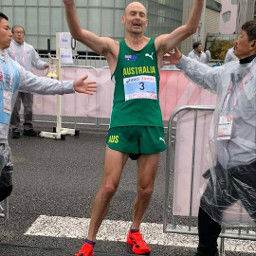
Australian Deaflympic marathon and ultra runner, and the solo developer behind IcuSync.
Your Intervals.icu account holds a detailed record of every activity you have ever logged. IcuSync gives you a way to ask questions about that data in plain English, including pulling up your best recorded efforts across key distances and durations. This article explains how it works and what you can ask.
What is a best effort?
A best effort is the fastest pace or highest power you have sustained over a specific distance or duration, recorded across all your logged activities. Intervals.icu calculates these automatically from your activity data using its pace curve (for running and swimming) and power curve (for cycling).
Best efforts are useful for:
- Tracking progress over time at key distances
- Estimating race potential
- Setting realistic training targets
- Calibrating training zones
What IcuSync can pull for each sport
Running
For running, IcuSync returns your best recorded time and pace at standard distances including 400m, 1km, 1 mile, 5km, 10km, half marathon and marathon. If you use a running power meter such as a Stryd, IcuSync also pulls your power curve data automatically and includes power bests alongside pace bests in the same response.
Swimming
For swimming, IcuSync returns best times and pace per 100m at swim-specific distances: 50m, 100m, 200m, 400m, 800m and 1500m. Pace is always shown per 100m regardless of your metric or imperial setting.
Cycling
For cycling, IcuSync uses the power curve rather than pace, returning your best average watts at standard durations: 5 seconds, 30 seconds, 1 minute, 5 minutes, 20 minutes and 1 hour. If your weight is set in your profile, W/kg is included automatically.
How to ask
You do not need to use any specific commands. Just ask in plain English. Here are some prompts that work well:
- "What are my best efforts?"
- "Show me my running personal bests over the last year"
- "What's my fastest 5km and half marathon?"
- "What's my best 20 minute power on the bike?"
- "Show me my swim bests"
- "What are my running power bests from the last 6 months?"
You can also filter by time period. By default IcuSync looks at the last year, but you can ask for 4 weeks, 6 weeks, 8 weeks, 3 months, 6 months, 2 years, or all time.
What the response looks like
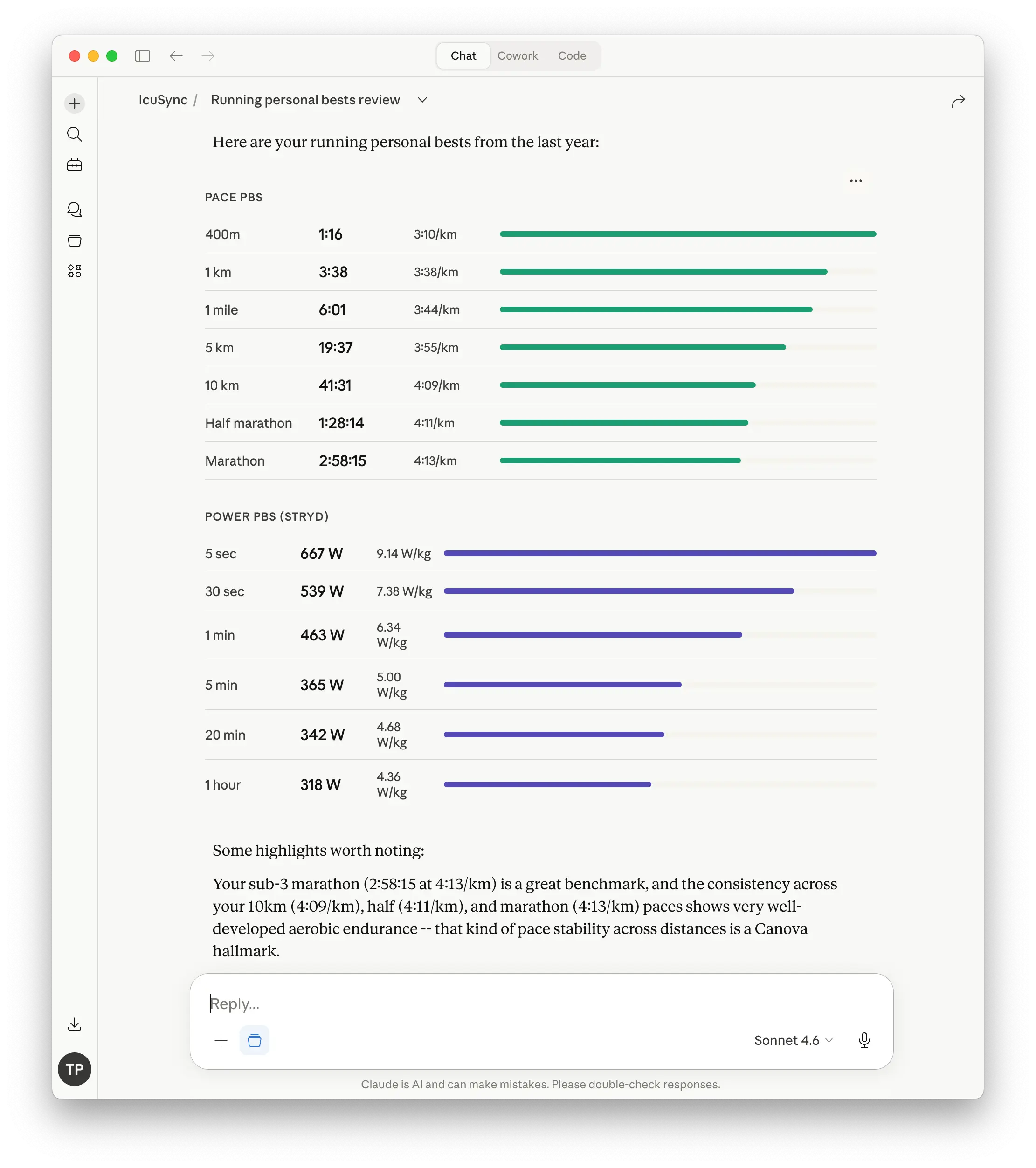
Claude returns pace bests and power bests in separate sections. For running with Stryd, you get both in a single response: pace bests at standard distances from 400m to marathon, and power bests at durations from 5 seconds to 1 hour with W/kg included automatically. Claude also adds a brief highlight note interpreting what the numbers show.
A note on accuracy
Best efforts are only as good as the data behind them. If an activity was recorded with GPS drift, a poorly calibrated power meter, or missing data, a falsely fast effort can appear at the top of your curve. If a result looks suspicious, you can ask Claude which activity it came from and check the source in Intervals.icu.
Best efforts also reflect your history only up to what has been synced to Intervals.icu. Activities from devices or apps that have not been connected will not appear.
Checking progress over time
Once you have your current bests, you can ask Claude to compare them against an earlier period to see how your fitness has changed.
- "How do my 5km and 10km bests this year compare to last year?"
- "Has my 20 minute power improved over the last 6 months?"
- "Show me how my half marathon best has changed over time"
This kind of longitudinal view is one of the more useful things you can do with your Intervals.icu data and is much faster than digging through the charts manually.