Unlocking Stryd Data in IcuSync
By Toby Pattullo
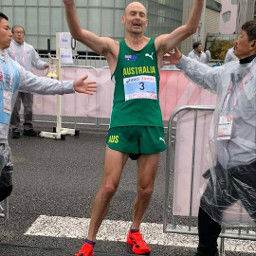
Australian Deaflympic marathon and ultra runner, and the solo developer behind IcuSync.
IcuSync can analyse your Stryd running metrics directly through Claude: ground contact time, leg spring stiffness, form power, air power, impact loading rate, and more. No Stryd subscription required.
This guide walks through the one-time setup in Intervals.icu that unlocks Stryd biomechanics data. If you are new to Stryd and IcuSync, start with Getting started with Stryd and Claude first.
How it works
When your watch records a run with a Stryd pod, the Stryd metrics are embedded in the FIT file alongside your standard data. Intervals.icu stores this file but doesn't automatically expose the Stryd fields. You need to tell it which fields to extract as named streams. Once set up, IcuSync can read those streams and Claude can analyse them like any other metric.
Prerequisites
- A Stryd running pod (any generation)
- An Intervals.icu account with your runs syncing directly from your device (not via Strava: Strava strips the Stryd data from FIT files before passing them on)
- IcuSync connected to Intervals.icu
Supported devices
Stryd embeds its data as developer fields in the FIT file. This works with any device that supports Stryd via ANT+ or Bluetooth and uploads the original FIT file to Intervals.icu, including:
- Garmin (all modern watches)
- Coros (Pace, Apex, Vertix series)
- Suunto (Race, Vertical, 9 series)
- Polar (Vantage, Grit X series)
Note: Some devices may only record a subset of Stryd fields. If a metric doesn't appear during setup, your device may not be capturing that field. The core metrics (Impact Loading Rate, Ground Contact Time, Form Power) are supported across all devices.
One-time setup in Intervals.icu
Step 1: Open any recent run activity
Open a run that was recorded with your Stryd pod attached.
Step 2: Open Custom Streams
Under the activity chart, click Charts, then Custom Streams. Click Add Stream.
Step 3: Add each Stryd stream
You'll see a dialog with a Name field and a Record field dropdown. Add one stream for each metric below. The Name is what IcuSync uses to identify the data: use it exactly as shown.
| Name | Record field | Units |
|---|---|---|
StrydILR | Impact Loading Rate | bw/sec |
StrydGroundTime | Ground Time | ms |
StrydLSS | Leg Spring Stiffness | kN/m |
StrydFormPower | Form Power | W |
StrydAirPower | Air Power | W |
StrydVO | Vertical Oscillation | cm |
Stryd Duo users (dual pod) can also add:
| Name | Record field | Units |
|---|---|---|
StrydILRBalance | Impact Loading Rate Balance | % |
StrydLSSBalance | Leg Spring Stiffness Balance | % |
StrydVOBalance | Vertical Oscillation Balance | % |
Note: The Record field dropdown is populated from your FIT file. If a field doesn't appear, your device may not record that metric, or that run may not have had Stryd connected.
Step 4: Reprocess the activity
After adding all streams, click Actions on the activity and select Reprocess File. This tells Intervals.icu to re-read the original FIT file and extract the Stryd data.
Applying to past runs
The custom streams you just created apply automatically to all future runs: no further action needed.
For past runs, you can bulk reprocess:
- Go to the Activities list view (the table, not the calendar)
- Filter by Run sport
- Select the activities you want using the checkboxes
- Click Edit at the top and choose Reprocess File
- In the confirmation dialog, tick Keep existing intervals to preserve your interval detection, then click OK
What you can ask Claude
Once set up, you can ask Claude things like:
- "How was my running form on yesterday's long run?"
- "Compare my impact loading rate between my easy runs and intervals this week"
- "Is my leg spring stiffness consistent across my VO2max intervals?"
- "How does my form power change as I fatigue in long runs?"
Claude will use the get_extended_metrics tool automatically and break down the Stryd data per interval.
Available metrics reference
| Metric | What it measures |
|---|---|
| Impact Loading Rate | Force applied at foot strike (bw/sec). Lower is generally better for injury prevention. |
| Ground Contact Time | Time each foot spends on the ground per step (ms). Lower = more efficient at higher speeds. |
| Leg Spring Stiffness | How stiff your leg acts as a spring (kN/m). Higher stiffness typically correlates with better running economy. |
| Form Power | Power used to maintain your running form rather than propel you forward (W). Lower relative to total power = better efficiency. |
| Air Power | Power cost of running into wind (W). Useful context for outdoor runs. |
| Vertical Oscillation | How much you bounce up and down per step (cm). Lower is generally more efficient. |
| ILR Balance (Duo only) | Left/right difference in impact loading rate. |
| LSS Balance (Duo only) | Left/right difference in leg spring stiffness. |
Troubleshooting
Stryd fields don't appear in the Record field dropdown The dropdown is populated from the currently open activity. Make sure the activity was recorded with Stryd connected. Try opening a different recent run.
Streams set up but Claude still can't see the data Make sure you clicked Reprocess File on the activity after adding the streams. Also check that your runs are syncing directly from your device to Intervals.icu. If they come through Strava, the Stryd data is stripped before it reaches Intervals.icu.
I have Garmin running dynamics too: which takes priority? If you also have Garmin running dynamics (from an HRM-Pro or Running Dynamics Pod), IcuSync will use the Garmin data for ground contact time and vertical oscillation and show the Stryd data separately. There is no conflict.