Plan vs Actual: Compare Your Workouts in Intervals.icu
By Toby Pattullo
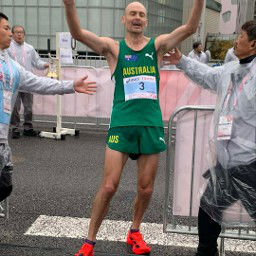
Australian Deaflympic marathon and ultra runner, and the solo developer behind IcuSync.
IcuSync can now tell you, step by step, how a session went against the workout you planned in Intervals.icu. Ask Claude or your preferred AI assistant how your run, ride or swim went, and it sees each target next to what you actually did, including how far off you were.
That turns "how was my session?" into a useful answer. Did you nail the main set, go out too hard on the first rep, or ease off in the recoveries? Your assistant can tell you, using numbers from your own data.
What IcuSync compares
When a completed activity is linked to its planned workout in Intervals.icu, IcuSync works out the comparison and hands it to your assistant with the activity. It works in Claude, ChatGPT, Grok and other MCP assistants, for runs, rides and swims with power, pace or heart rate targets.
For each session you get:
- The big picture: planned duration and training load next to what you actually did, plus an overall compliance figure.
- Every step: each warm-up, rep, recovery and cool-down, with its target, your actual average and whether you were under, within or over.
- How far off: for any step outside its target, the gap in watts, pace or heart rate and as a percentage, so a near miss reads differently from a real fade.
- Main set and short efforts counted separately: efforts of 30 seconds or less, like strides or sprints, are scored on their own so they don't drag down your main set.
Good to know: IcuSync does the matching and the maths. Your AI assistant does what it does best: explaining what the numbers mean for your training.
A real example: 8 x 4 minutes at marathon pace
Here's a marathon pace session from my own build, planned in Intervals.icu with power targets and run from my watch.
The plan (73 minutes, load 91):
- 15 minute warm-up at 262 to 276W
- 8 x 4 minutes at 320 to 324W, with 2 minute recoveries at 262 to 276W
- 10 minute cool-down at 262 to 276W
What happened (75 minutes, load 91, 100% compliance):
| Rep | Target | Actual | Result |
|---|---|---|---|
| 1 | 320 to 324W | 331W | 7W (2.1%) over |
| 2 | 320 to 324W | 324W | Within |
| 3 | 320 to 324W | 322W | Within |
| 4 | 320 to 324W | 325W | Within |
| 5 | 320 to 324W | 319W | Within |
| 6 | 320 to 324W | 318W | Within |
| 7 | 320 to 324W | 320W | Within |
| 8 | 320 to 324W | 324W | Within |
What my assistant made of it: 7 of 8 reps were on target. The first rep went out 7W too hard, a classic case of fresh legs, then every rep after it settled right into the range. There was no fade at all: the last rep was 324W, as strong as any. Aerobic decoupling was 2.1%, so heart rate stayed steady across the session.
It also flagged the recoveries. A few were jogged easier than planned, dropping as low as 237W after rep 4. If the aim is to keep the effort flowing between reps, holding them closer to 262W would match the plan more closely.
Why it matters: "Good session, 16km at 4:38/km" tells you very little. Seeing that you nailed 7 of 8 reps, went out hot on the first, and eased off in the recoveries is something you can actually train from.
Prompts to try
Copy any of these into your AI assistant after a planned session:
- "How did today's session go against the plan?"
- "Did I hit my targets in Tuesday's threshold ride?"
- "Which reps did I miss, and by how much?"
- "Were my recoveries too hard or too easy?"
- "How did my swim set compare with the plan?"
- "Compare my last three threshold sessions against their plans. Am I getting closer to target?"
Getting a good comparison
- Give your planned workout targets. Set power, pace or heart rate ranges for each step in Intervals.icu, so there's something to compare against. Your AI assistant can build structured workouts like this for you and add them to your calendar.
- Do the workout from your watch or bike computer. When the workout runs on your device, each step is recorded as its own lap, which is what IcuSync matches against.
- Check the activity is linked to the plan. The comparison only appears when your completed activity is linked to the planned workout in Intervals.icu.
Tip: Power on very short efforts like strides or sprints often reads below target while it ramps up. That's why IcuSync scores short efforts separately from your main set, so a few low efforts won't make a good session look bad.